I don’t know about the immersion settings to be honest as I’ve never used them.
Regarding the limits I thought that this unit could go up to 60 LWT and then higher (65?) with the backup heater. Others may correct me on this.
The outlet flow temp limit is obviously there for a reason so it’s not about any damage necessarily. I just think if it’s running at only a 5C differential (versus your target tank temp, so trying to reach 55 with 60 LWT for example) it is going to struggle to heat the tank. Through my observations as above the unit will generally set the LWT 9 or 10 degrees higher than this target temp.
@painter26 — you must make your own decision on all the facts available to you including the presence or absence of people with underlying health conditions (which in my book does not include age alone), but I can say that my decision is that the risk of legionella in a sealed unvented in use domestic hot water system is effectively zero, and I don't use any active anti-legionella measures.
In regards the tank heater, I'm still not totally sure if 'tank heater activated' (which is what I've seen once or twice on my wired controller) is an actual thing. I've read some comments suggesting it's a phantom indicator?
I've seen this icon appear on rare occasions and since I don't have such heater fitted that I know of, I have taken the view that it is indeed a Midea phantom of no importance.
With our wired midea control panel in weather comp mode the reading on the left will reflect the set curve point at that time.
Are you sure about this? In standby, mine has the tear drop icon visible, and the number is usually a static multiple of ten. At the moment it is 40, while my actual set LWT is 37°C. If I select the number, the tear drop icon disappears, but I can't change the number, which is not the desired room temp, because I am in WC mode (I get the Midea-speak do you want to turn off WC message). As far as I can tell, the number is unused and meaningless when the unit is in WC mode on my R32 unit. The situation may be different on the R290 coloured displays, owners of such units may be able to clarify the situation.
Midea 14kW (for now...) ASHP heating both building and DHW
@painter26 — you must make your own decision on all the facts available to you including the presence or absence of people with underlying health conditions (which in my book does not include age alone), but I can say that my decision is that the risk of legionella in a sealed unvented in use domestic hot water system is effectively zero, and I don't use any active anti-legionella measures.
In regards the tank heater, I'm still not totally sure if 'tank heater activated' (which is what I've seen once or twice on my wired controller) is an actual thing. I've read some comments suggesting it's a phantom indicator?
I've seen this icon appear on rare occasions and since I don't have such heater fitted that I know of, I have taken the view that it is indeed a Midea phantom of no importance.
With our wired midea control panel in weather comp mode the reading on the left will reflect the set curve point at that time.
Are you sure about this? In standby, mine has the tear drop icon visible, and the number is usually a static multiple of ten. At the moment it is 40, while my actual set LWT is 37°C. If I select the number, the tear drop icon disappears, but I can't change the number, which is not the desired room temp, because I am in WC mode (I get the Midea-speak do you want to turn off WC message). As far as I can tell, the number is unused and meaningless when the unit is in WC mode on my R32 unit. The situation may be different on the R290 coloured displays, owners of such units may be able to clarify the situation.
My Teardrop icon is permanently visible but the temp on the left for me is always moving to reflect the current flow temp which mirrors the ideals of the WCC. However, if I've been making any changes in For Serviceman it defaults to '40 degrees' until I press the 'return' arrow button which reverts it to 33 or whatever my current flow temp is in line with WCC.
My Teardrop icon is permanently visible but the temp on the left for me is always moving to reflect the current flow temp which mirrors the ideals of the WCC. However, if I've been making any changes in For Serviceman it defaults to '40 degrees' until I press the 'return' arrow button which reverts it to 33 or whatever my current flow temp is in line with WCC.
Interesting. Mine is still showing 40°C, but the current set LWT as read over modbus is now 35°C, and the actual LWT is 31°C. It certainly makes more sense to make use of the available display space, but it doesn't appear to happen on my unit.
Midea 14kW (for now...) ASHP heating both building and DHW
Interesting. Mine is still showing 40°C, but the current set LWT as read over modbus is now 35°C, and the actual LWT is 31°C. It certainly makes more sense to make use of the available display space, but it doesn't appear to happen on my unit.
Could it perhaps be because you change set LWT via the adapt script and not via the controller? Perhaps the controller never receives a “return” signal that changes the number displayed on the screen…
Also, out of curiosity, what drives the modulation of your circulation pump in the primary circuit?
Could it perhaps be because you change set LWT via the adapt script and not via the controller? Perhaps the controller never receives a “return” signal that changes the number displayed on the screen…
Possibly, though from memory the number has always been static, even before I added my auto-adapt script.
Also, out of curiosity, what drives the modulation of your circulation pump in the primary circuit?
This has long been and still remains a mystery. If I unplug the PWM wire in the outdoor unit, the wired controller shows no flow, 0.00M^3/H, but the analogue meter does show flow, about 23L/min (1.38M^3/H) which is close to the default normal running flow, but not, I think, the maximum the pump is capable of, which is what should happen when the PWM lead is disconnected. The max flow rate is somewhere in one of the manuals. The only other observation I have been able to make is that the two steady flow rates observed appear to coincide with the compressor on (around 1.4M^3/H) / compressor off (around 1m^3/H) states in normal Midea cycling.
Midea 14kW (for now...) ASHP heating both building and DHW
What drives water flow modulation in your secondary circuit.
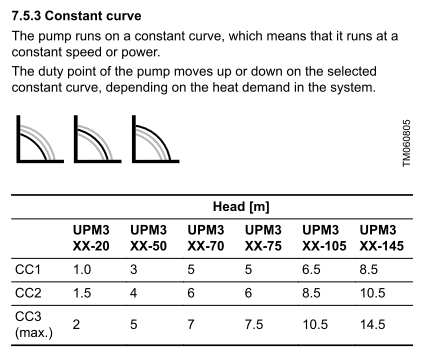
No external control. The pump, a Grundfos UPM3 Auto 25-70 130 ZZZ, is currently running on 'CC1', 'constant curve 1'. The Grundfos manuals are as clear as mud as to what CC1 actually does.
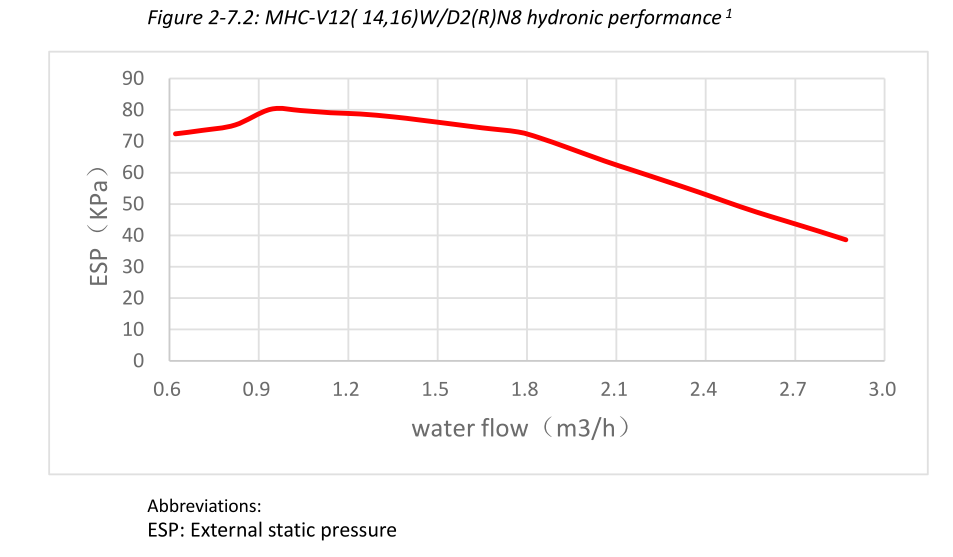
While I am at it, here is the chart for the outdoor unit (primary) circulating pump from the Midea Engineering Data manual:
It appears to be capable of a greater flow rate than it the ~1.4m^3/h or less that it runs at normally. What causes the limit is not clear, as noted above, even when the PWM lead is unplugged, when it should run at 100%, it is still limited. Maybe it is limited by the circuit resistance?
Midea 14kW (for now...) ASHP heating both building and DHW
No external control. The pump, a Grundfos UPM3 Auto 25-70 130 ZZZ, is currently running on 'CC1', 'constant curve 1'. The Grundfos manuals are as clear as mud as to what CC1 actually does.
I think it means it runs at the same constant speed all the time. From the link below you can download the installation and operation manual, see pages 13 to 15 (I am using a tablet right now and I cannot copy the entire manual here, sorry).
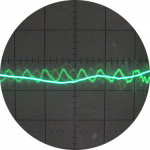
Could it be that occasional mismatches between speeds in your primary (under modulation) and secondary (constant) circuits cause the RWT to overshoot set LWT and thus experience cycling under certain (to be determined) conditions? In the saw-like pattern of your diagrams, cycling seems to occur when RWT reaches set LWT (I admit though I did not exhaustively check them). Have you ever explored this path?
It appears to be capable of a greater flow rate than it the ~1.4m^3/h or less that it runs at normally. What causes the limit is not clear, as noted above, even when the PWM lead is unplugged, when it should run at 100%, it is still limited. Maybe it is limited by the circuit resistance?
I doubt your primary circuit has such strong resistance. My bet would be on the fact that with a practically continuous operation the water does not cool down and the pump can manage the ΔT without circulation overshoots. And the separation between primary/secondary probably softens the experience of the ASHP. Our ASHP has to manage a volume of maybe more than 250lt when it switches on with starting temperature lower than 20. I have seen the largest circulation speeds shortly after start up.
I think it means it runs at the same constant speed all the time. From the link below you can download the installation and operation manual, see pages 13 to 15
I agree that is what it suggests, but what confuses me is that it then says it moves up and down on the curve, which is constant (from page 15 of that manual):
I'm also unsure about how it can know the heat demand, the only cables connected are the power supply.
Could it be that occasional mismatches between speeds in your primary (under modulation) and secondary (constant) circuits cause the RWT to overshoot set LWT and thus experience cycling under certain (to be determined) conditions? In the saw-like pattern of your diagrams, cycling seems to occur when RWT reaches set LWT (I admit though I did not exhaustively check them). Have you ever explored this path?
It seems likely that the sawtooth above an OAT of around 8°C pattern is standard R32 Midea heat pump pattern, and is not limited to mine. See the Midea charts at heatpumpmonitor.org (click on the Medstead R32 dashboard button, then click on a day to see the details for that day), plus charts posted by other Midea owners here on the forum.
Since the secondary pump is on CC1, and we think this means constant speed, presumably it runs at a constant speed, but there is no way of checking this. The relation of the sawtooth to the set LWT is such that the set LWT is roughly in the middle of the sawtooth, and the mean LWT is probably close to the set LWT. It also appears that some of the modulation is done by varying the on to off ratio of the sawtooth. But overall (and not in any way to denigrate your interesting comments), I have learnt to live with it, because (a) it appears to be normal Midea behaviour and (b) even if it is limited to a few Midea units, it is slow cycling which is generally not considered to be a problem.
Midea 14kW (for now...) ASHP heating both building and DHW
I think it means it runs at the same constant speed all the time. From the link below you can download the installation and operation manual, see pages 13 to 15
I agree that is what it suggests, but what confuses me is that it then says it moves up and down on the curve, which is constant (from page 15 of that manual):
I'm also unsure about how it can know the heat demand, the only cables connected are the power supply.
I believe we can attribute this mystery to bad english.
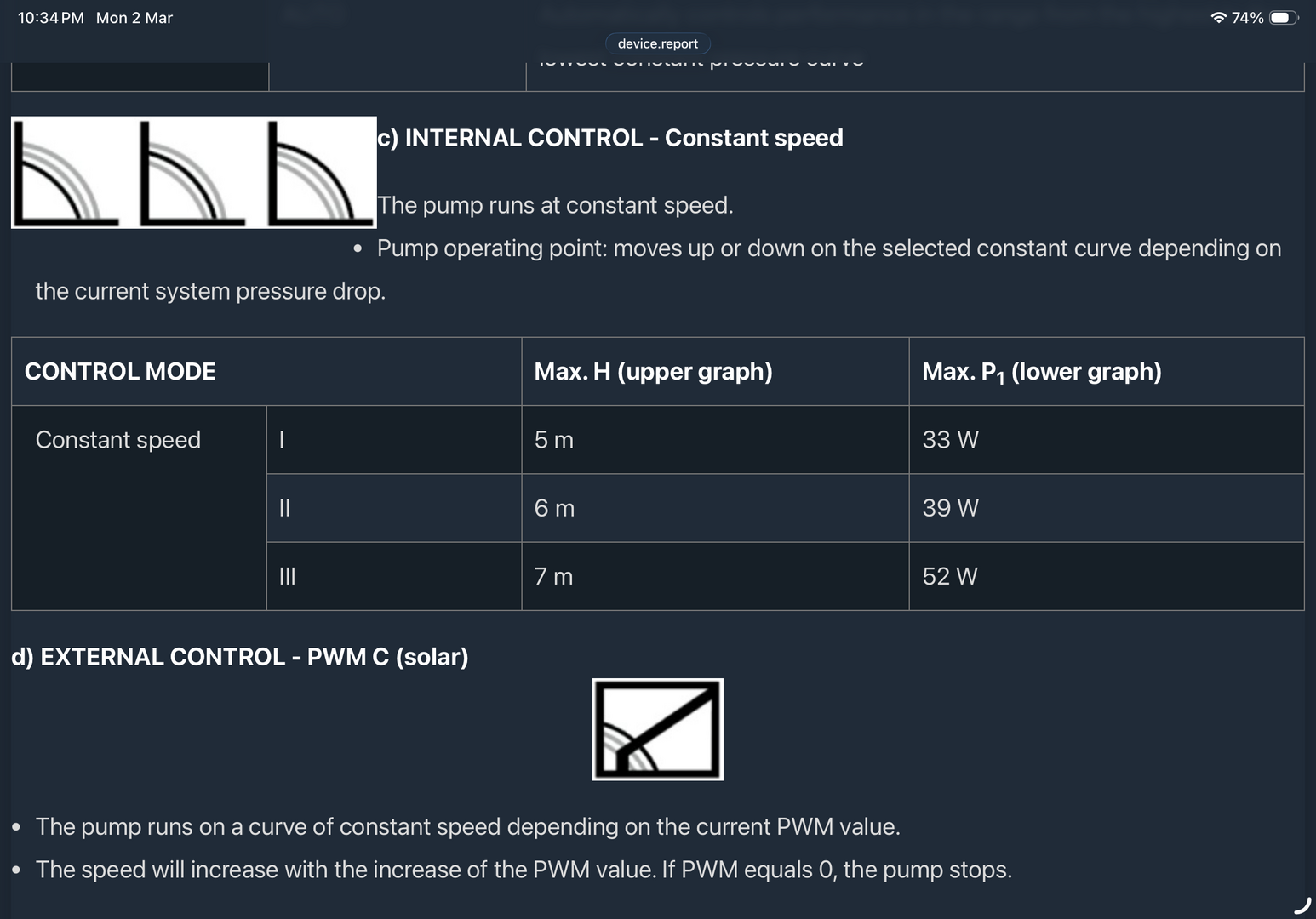
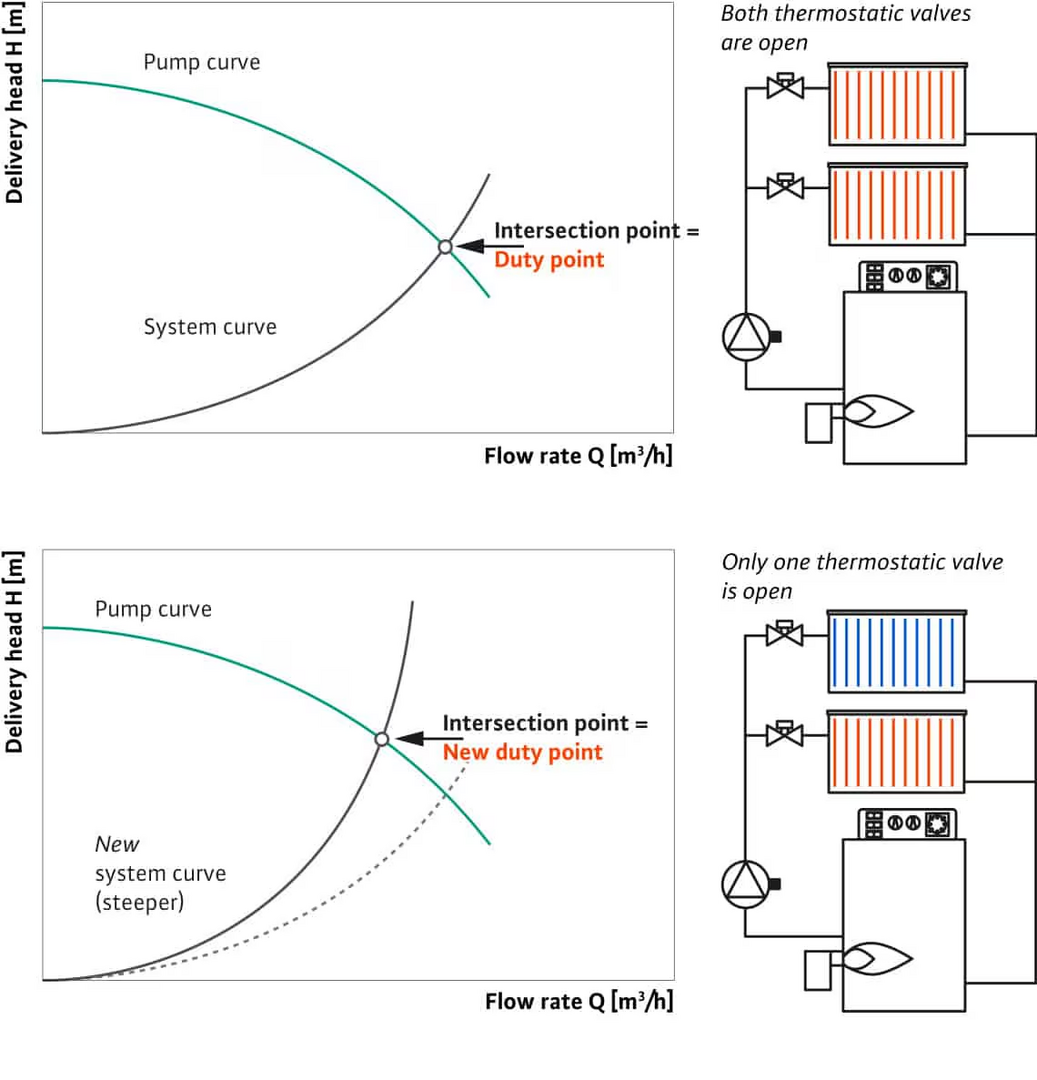
Based on how other circulation pumps operate and on the documentation below, I think your Grundfoss circulation pump runs on constant speed determined by the resistance (pressure drop) of your secondary circuit and the CC1 curve i.e the m3/h flow speed is the one corresponding to pressure drop of your circuit on the CC1 curve. And I agree, the site below seems less credible than the manual, but it makes much more sense! Here is also a screenshot of the relevant extract.
Yes if the circulator is in constant speed mode, the actual flow and pressure are at the intersection of the circulator curve and the heating circuit curve.
Since constant speed has basically no brains, if some TRVs close, the pump doesn't slow down, so the other still open TRVs get more flow.